The Key
hooks.json path : event : group : hook. The path is the full path to your hooks.json. The event is snake_case (PreToolUse becomes pre_tool_use). Group and hook are 0-based positions in the lists.
Codex hooks are shell commands the Codex CLI runs when a session starts, a prompt goes in, a tool runs or a turn stops. Setting them up takes a minute. Getting Codex to stop asking you to review them is the part nobody documents, so we worked out how Codex decides, and wrote it down.
# hooks go in ~/.codex/hooks.json. trust goes in ~/.codex/config.toml:
[hooks.state."<hooks.json path>:<event>:<group>:<hook>"]
trusted_hash = "sha256:<hash of that exact hook>"
# change the hook, the hash changes, Codex asks again.
// Setup //
These are the Codex events that matter for knowing what it's doing. Each hook gets JSON on stdin and runs in the pane's environment, so $TMUX_PANE says which tmux pane Codex lives in. Honest limit: there's no event for Codex's approval prompts, so a hook can see working, done and idle, but not "waiting for you". (RETRO TMUX catches that one anyway. More below.)
| Event | Fires when | State |
|---|---|---|
| SessionStart | Codex starts or resumes a session | Idle |
| UserPromptSubmit | You send a prompt | Working |
| PreToolUse | Right before a tool runs | Working |
| Stop | A turn ends | Done |
Save as ~/bin/codex-state.sh. It sets a tmux pane option, @codex_state, that your status bar can show.
#!/bin/sh
# codex-state.sh <Event>: what is Codex doing in this tmux pane?
[ -n "$TMUX_PANE" ] || exit 0
cat >/dev/null      # the payload; this script only needs the event name
case $1 in
  SessionStart) state=idle ;;
  UserPromptSubmit|PreToolUse) state=working ;;
  Stop) state=done ;;
  *) exit 0 ;;
esac
tmux set -p -t "$TMUX_PANE" @codex_state "$state"
exit 0
Write ~/.codex/hooks.json. Keep each hook to type, command and timeout, with no matcher; you'll see why in a second.
{
  "hooks": {
    "SessionStart":     [{ "hooks": [{ "type": "command", "command": "sh ~/bin/codex-state.sh SessionStart", "timeout": 5 }] }],
    "UserPromptSubmit": [{ "hooks": [{ "type": "command", "command": "sh ~/bin/codex-state.sh UserPromptSubmit", "timeout": 5 }] }],
    "PreToolUse":       [{ "hooks": [{ "type": "command", "command": "sh ~/bin/codex-state.sh PreToolUse", "timeout": 5 }] }],
    "Stop":             [{ "hooks": [{ "type": "command", "command": "sh ~/bin/codex-state.sh Stop", "timeout": 5 }] }]
  }
}
Codex opens with Hooks need review. That's not a bug; it's Codex refusing to run code it hasn't been told to trust. Approve them there, or read on and do it once, properly.
// Hooks need review //
Codex runs a user hook only if ~/.codex/config.toml holds a trust entry whose hash matches that hook exactly as it is now. We read Codex's source to get the recipe right, and checked it against a live Codex (0.156). Here it is:
hooks.json path : event : group : hook. The path is the full path to your hooks.json. The event is snake_case (PreToolUse becomes pre_tool_use). Group and hook are 0-based positions in the lists.
SHA-256 of compact, key-sorted JSON: {"event_name": …, "hooks": [the hook]}, written as sha256:<hex>.
type, command, timeout and "async": false. No timeout in your file? Codex hashes the default, 600. That's why the setup above keeps hooks plain.
The script: print the entries Codex wants
Save as codex-trust.py, run it, paste the output into ~/.codex/config.toml. It handles plain command hooks without a matcher, the common case; for anything fancier, let the review screen do it. Change a hook, run it again.
#!/usr/bin/env python3
# codex-trust.py: print the [hooks.state] entries Codex wants for your hooks.json
import hashlib, json, os, re
path = os.path.expanduser("~/.codex/hooks.json")
hooks = json.load(open(path)).get("hooks", {})
snake = lambda e: re.sub(r"(?<!^)([A-Z])", r"_\1", e).lower()   # PreToolUse -> pre_tool_use
for event, groups in hooks.items():
    for g, group in enumerate(groups):
        for h, hook in enumerate(group.get("hooks", [])):
            handler = {"type": "command", "command": hook["command"],
                       "timeout": int(hook.get("timeout", 600)), "async": False}
            identity = {"event_name": snake(event), "hooks": [handler]}
            blob = json.dumps(identity, sort_keys=True, separators=(",", ":"), ensure_ascii=False)
            print(f'[hooks.state."{path}:{snake(event)}:{g}:{h}"]')
            print(f'trusted_hash = "sha256:{hashlib.sha256(blob.encode()).hexdigest()}"\n')
Trusting a hook means letting it run code every time Codex does. Only write entries for hooks you've read.
// Bonus: usage limits //
Every hook payload includes transcript_path, the session's rollout file. Its token_count events carry rate_limits with two windows, primary and secondary, each with used_percent, window_minutes and a reset time. Sort them by length, not by name: the short one (a day or less) is your 5-hour limit, the long one the weekly. Or ask Codex to show them itself:
# ~/.codex/config.toml: add the limits to Codex's own status line
[tui]
status_line = ["five-hour-limit", "weekly-limit"]
// Or skip all of this //
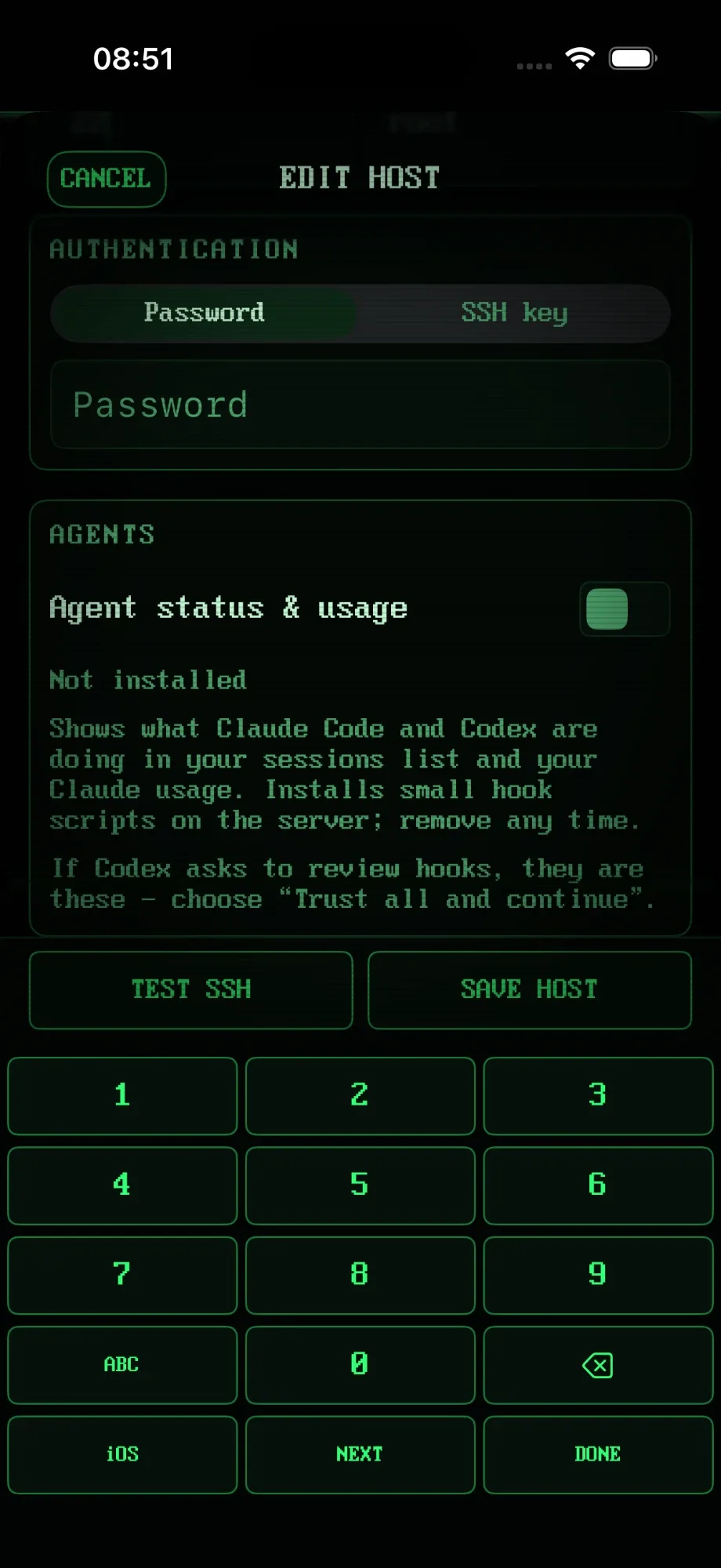
RETRO TMUX's agent switch does everything on this page for you: it installs the hooks for Codex, Claude Code and Hermes, writes the trust entries Codex expects, and shows every agent's state on your iPhone, across all your sessions, without attaching.
// FAQ //
Shell commands the Codex CLI runs at fixed moments: when a session starts, when you send a prompt, before a tool runs, and when a turn stops. They're declared in ~/.codex/hooks.json, get the event as JSON on stdin, and are a good way to track what Codex is doing without watching it.
Codex only runs a user hook it has been told to trust. The trust lives in ~/.codex/config.toml as a [hooks.state] entry holding a SHA-256 of the hook. A new hook, or any change to its command or timeout, doesn't match any stored hash, so Codex asks you to review it at startup.
Approve them once in the review screen, or write the matching trusted_hash entries into config.toml yourself (the script on this page prints them). Change a hook and you'll be asked again, which is the point.
Not with hooks alone. Codex's hooks cover session start, prompts, tool calls and stops, but not its approval prompts, so a hook script can report working, done and idle, not "waiting for you". RETRO TMUX catches Codex's approval prompts anyway and pushes them to your phone with Approve and Deny.
In the session's rollout file (the transcript_path your hooks receive): each token_count event carries rate_limits with a primary and a secondary window, each with used_percent, window_minutes and a reset time. The shorter window is your 5-hour limit, the longer one the weekly limit.
No. One switch installs the hooks, writes the trust entries Codex expects, and removes both cleanly when you switch it off. If Codex still shows the review screen, the hooks listed are ours: choose "Trust all and continue".
>>> READY WHEN YOU ARE
RETRO TMUX is in beta. Join, and we'll tell you when there's a build to break.
+ JOIN THE BETAMore: what RETRO TMUX does · Claude Code hooks · Codex on iPhone